Processing a Return
Use this once you’ve decided to accept the return. See Returns for the questions to ask first.
Start the refund
Section titled “Start the refund”-
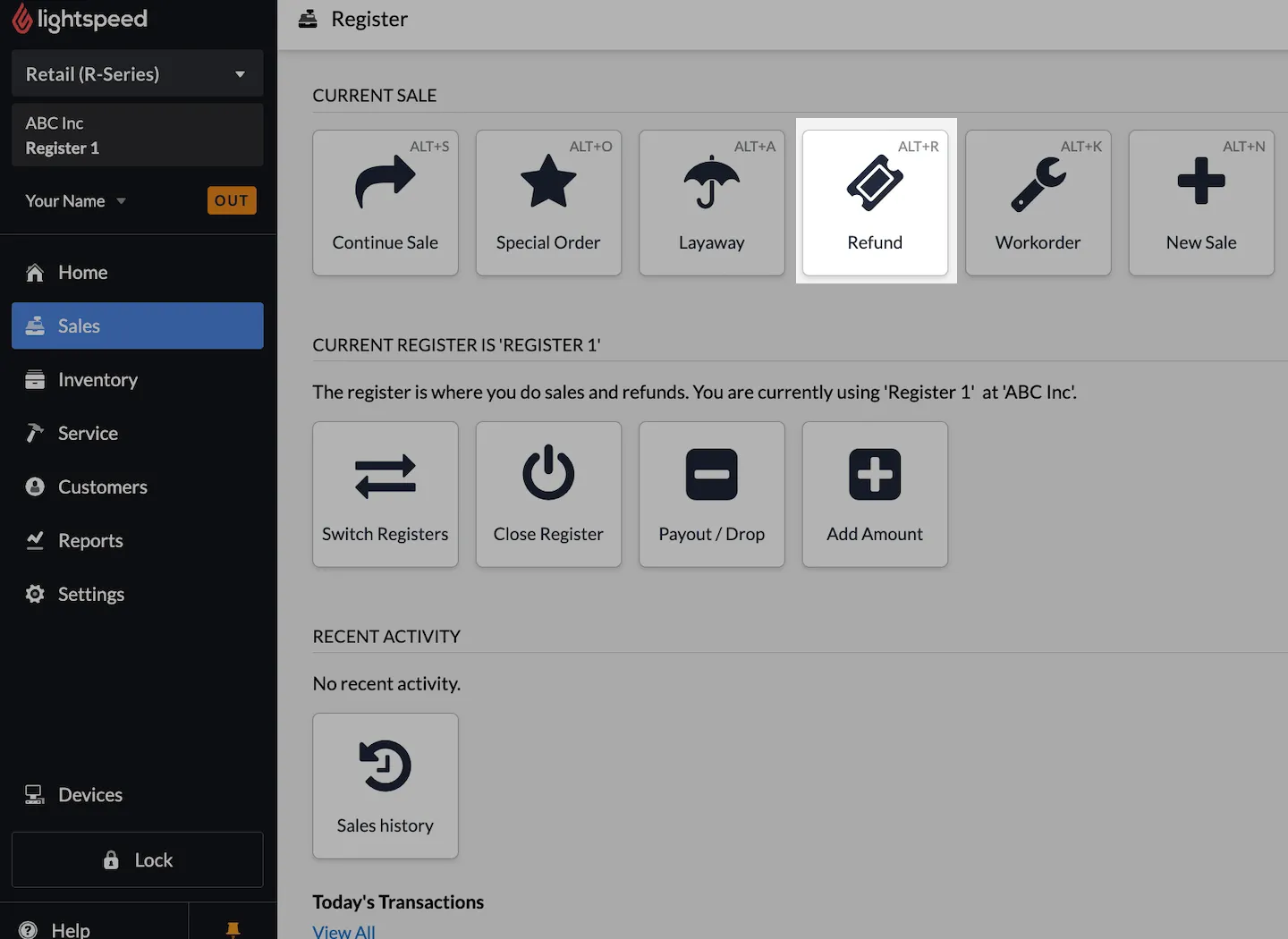
Click Sales in the Lightspeed sidebar, then click the Refund button.
-
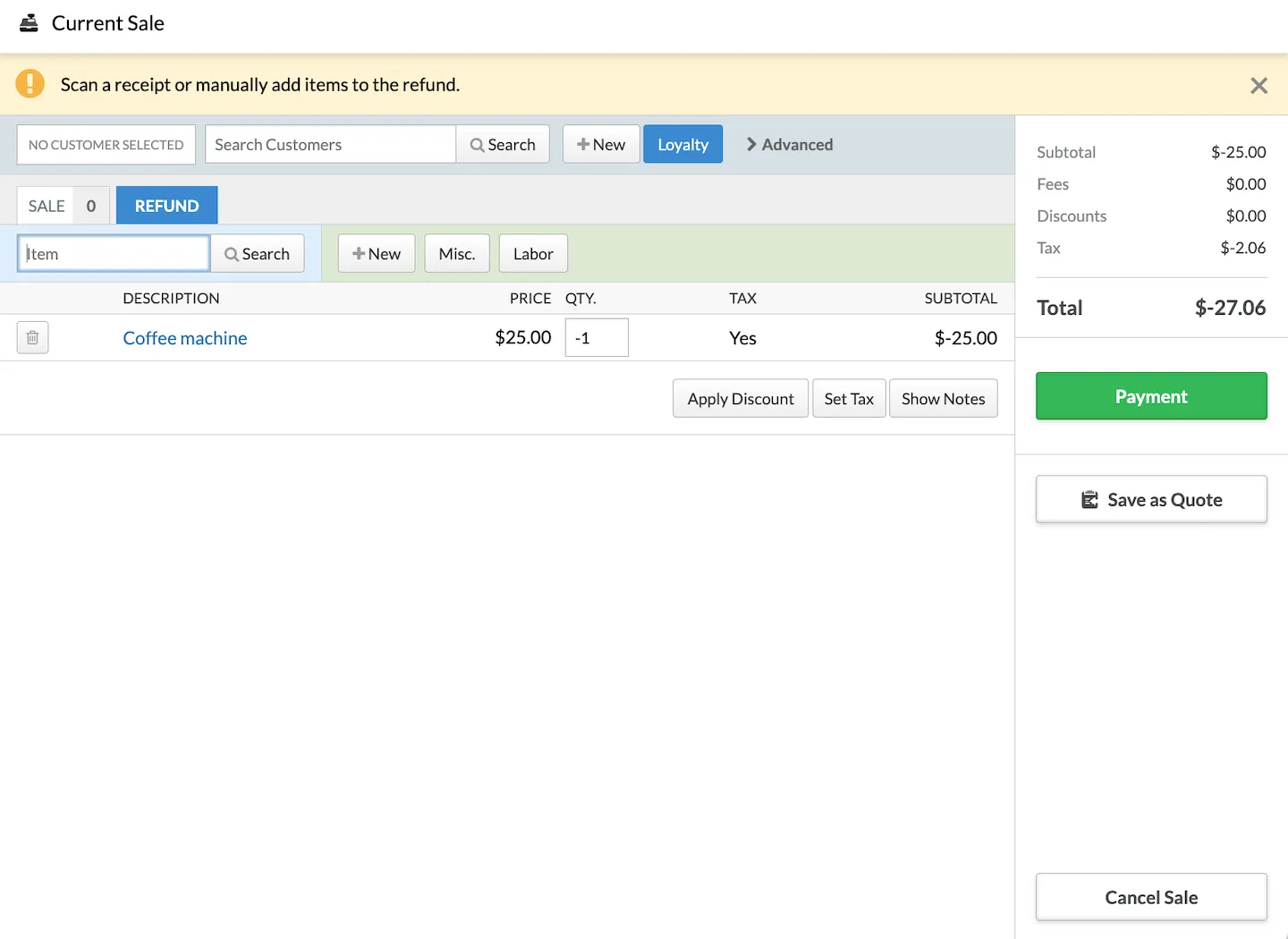
Make sure the cursor is in the Item field, then scan the barcode on the customer’s receipt.
The items they originally purchased appear.
Choose what’s being returned
Section titled “Choose what’s being returned”-
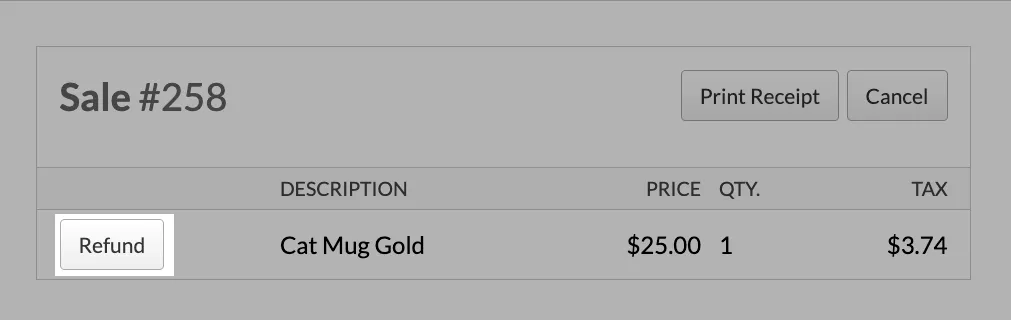
Click Refund on each item they want to return.
-
If they bought more than one of an item, change the quantity to match how many are being refunded.
-
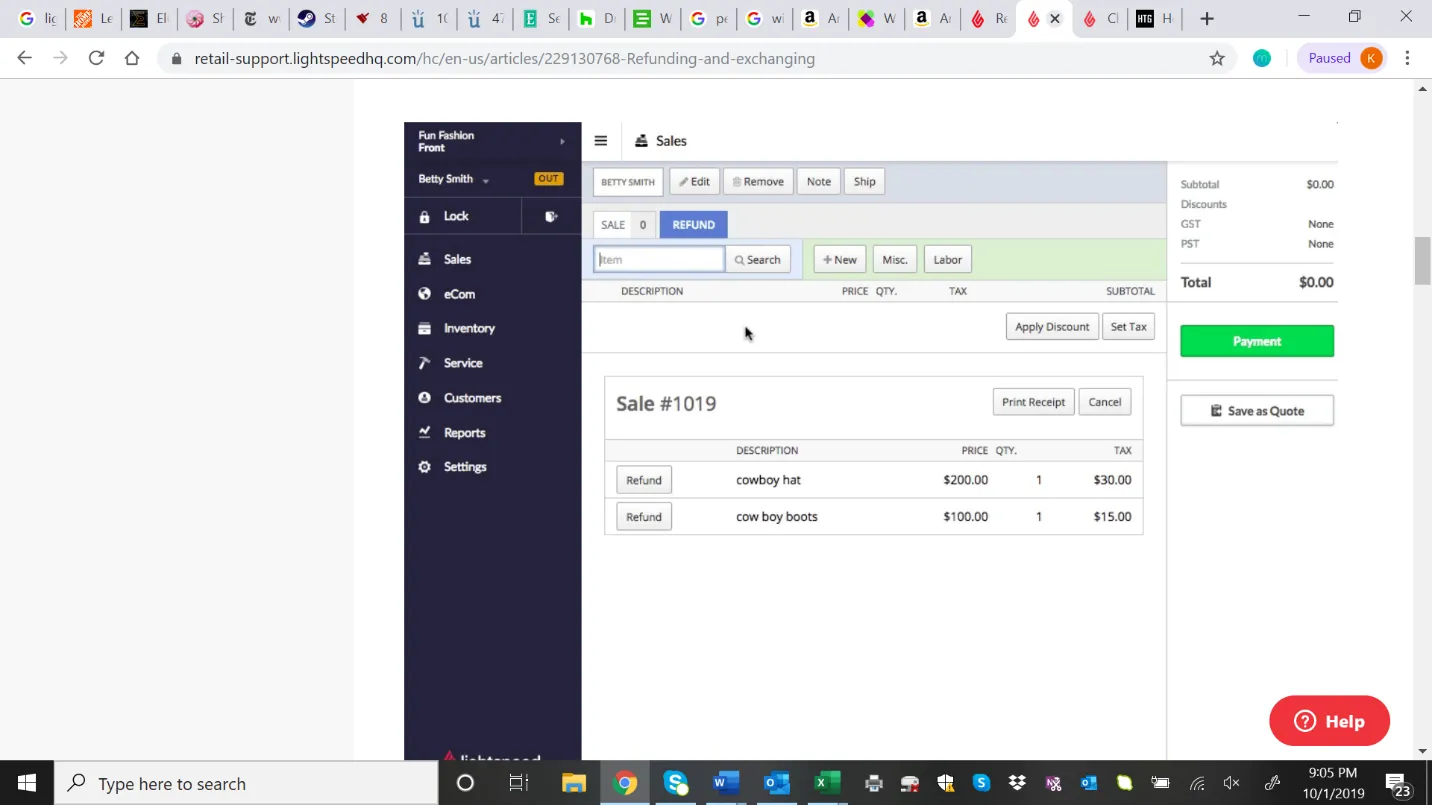
If they’d like to buy something at the same time, click the Sale tab and continue as a normal sale.
Complete the refund
Section titled “Complete the refund”-
When the transaction is complete, click the Payment button, like a sale.
- If the refund and sale total is positive, the payment window is green. Process the payment as you would for a sale.
- If the total is negative, the payment window is orange, and we owe the customer that amount.
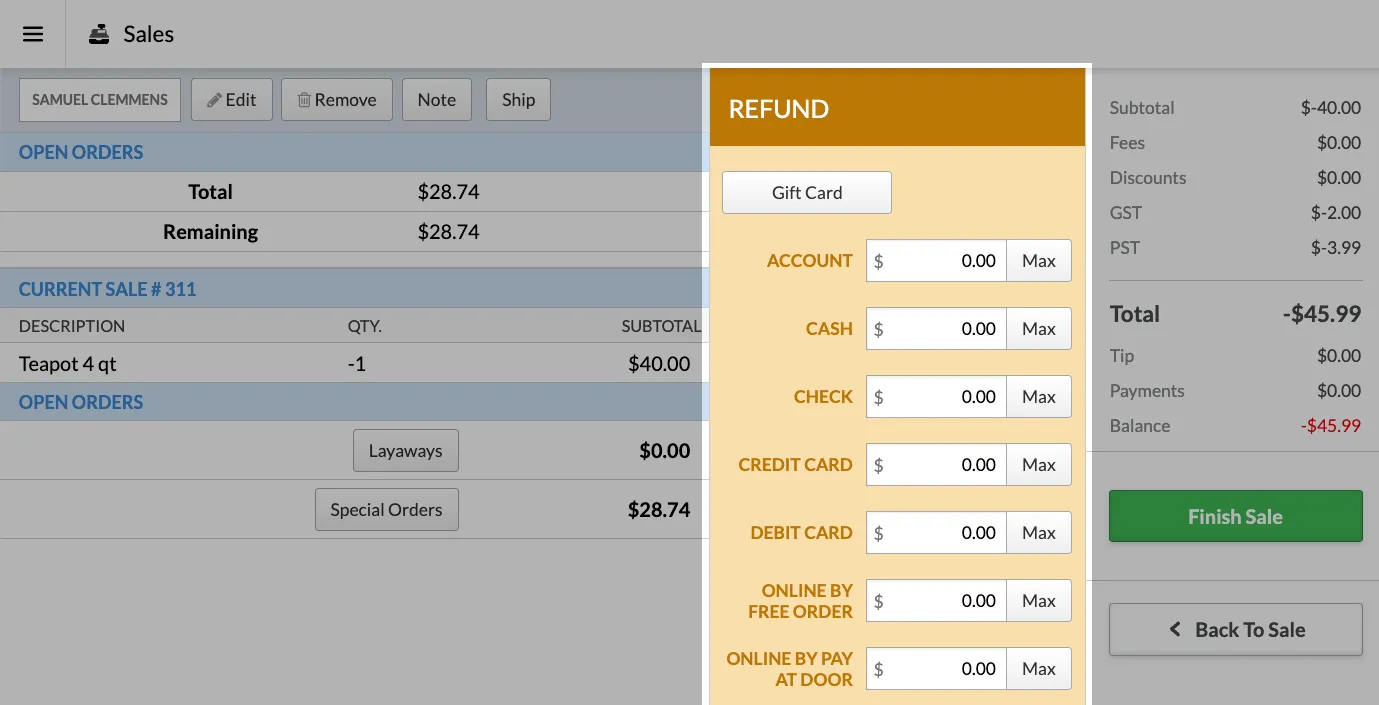
-
Refund the customer using the section below that matches how they originally paid.
They paid with a card
Section titled “They paid with a card”-
Click Credit/Debit to open the Refund screen for cards.
-
Verify the last 4 digits of the card number with the customer. For example, say: “I’ll be refunding $6.59 back to the debit card ending in 3650. Is that correct?”
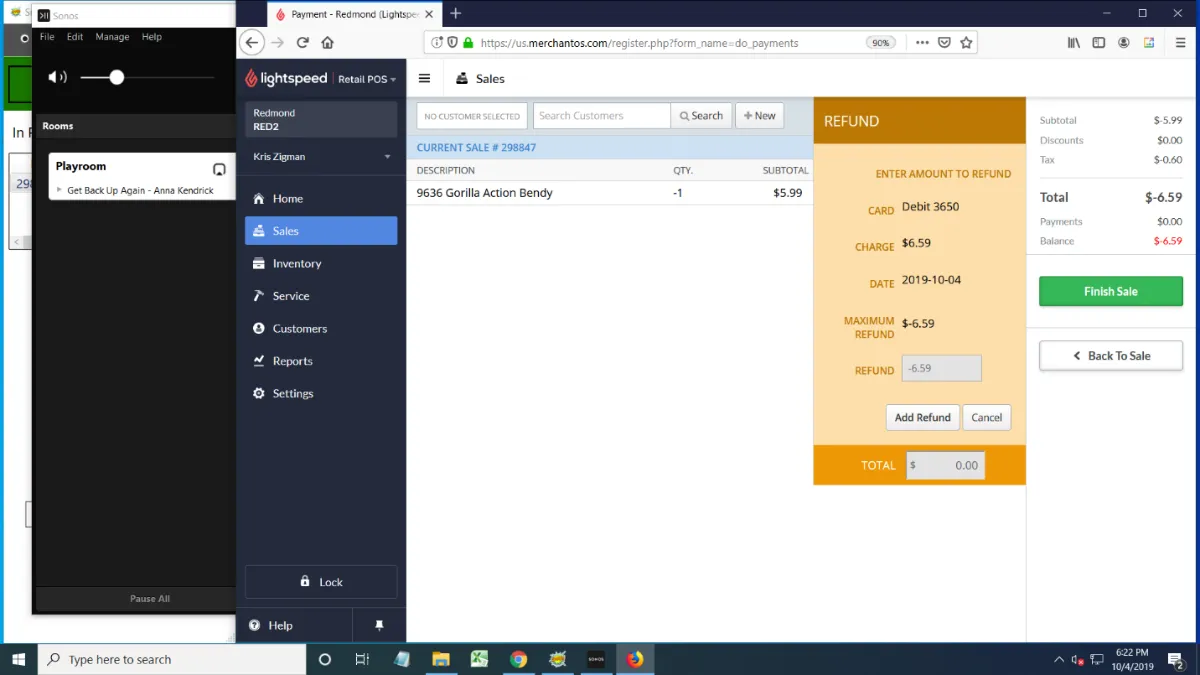
- Click Add Refund, the Finish Sale to complete the transaction.
If the customer would rather have a gift card, see Refunding to a gift card.
They paid with cash
Section titled “They paid with cash”Offer them a Gift Card first. See Refunding to a gift card.
If they insist on cash:
- Click Max next to the Cash refund type.
- Click Finish Sale.
- Print the receipt to open the register, then hand the customer the cash.
Refunding to a gift card
Section titled “Refunding to a gift card”A gift card is always an option, whether the customer paid by card or cash.
- Complete the refund in Lightspeed for the full amount owed.
- Activate a gift card for that amount on the Verifone. See Activating a gift card.
- Give the customer the gift card.
They paid with a gift card
Section titled “They paid with a gift card”Gift card purchases can only be refunded to a gift card, never in cash or to a card. Follow Refunding to a gift card.
They paid with more than one method
Section titled “They paid with more than one method”Refund each part of the original payment to the way it was paid: the card portion to the card, the cash portion in cash, and the gift card portion to a gift card. Or refund the whole amount to a gift card.