Resuming, Cancelling, and Quotes
Returning to a sale in progress
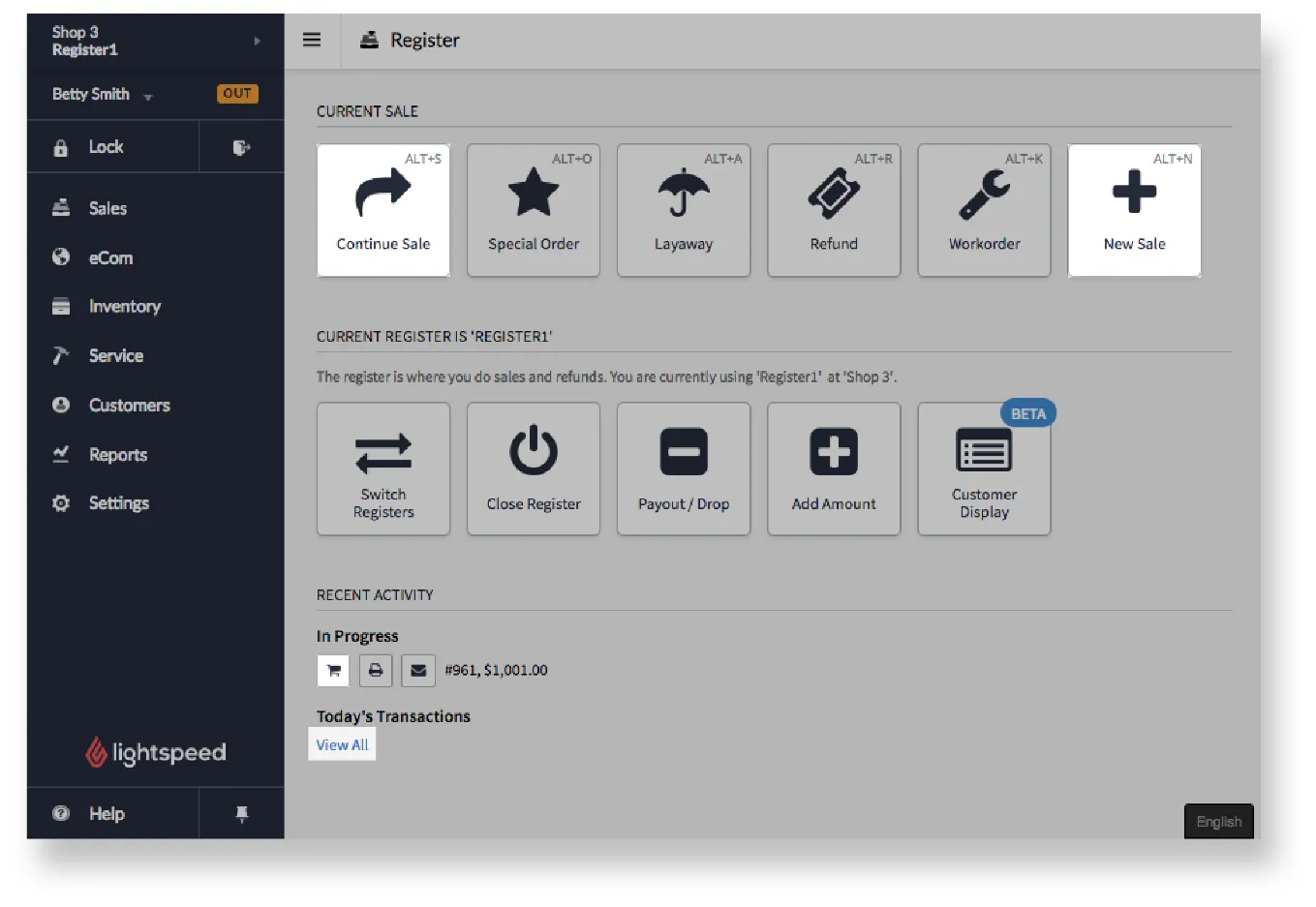
Section titled “Returning to a sale in progress”Sometimes you start a sale and the customer decides they want something else. In the meantime, another customer comes to the register. You can start a new sale and still return to the original one.
You can continue an in-progress sale in three ways:
- From the main menu, click Sales > Continue Sale.
- Click Sales, and under Recent Activity, click the shopping cart icon next to the in-progress sale.
- Click Sales, and under Recent Activity, click View All to find and continue other in-progress sales.
Cancelling a sale in progress
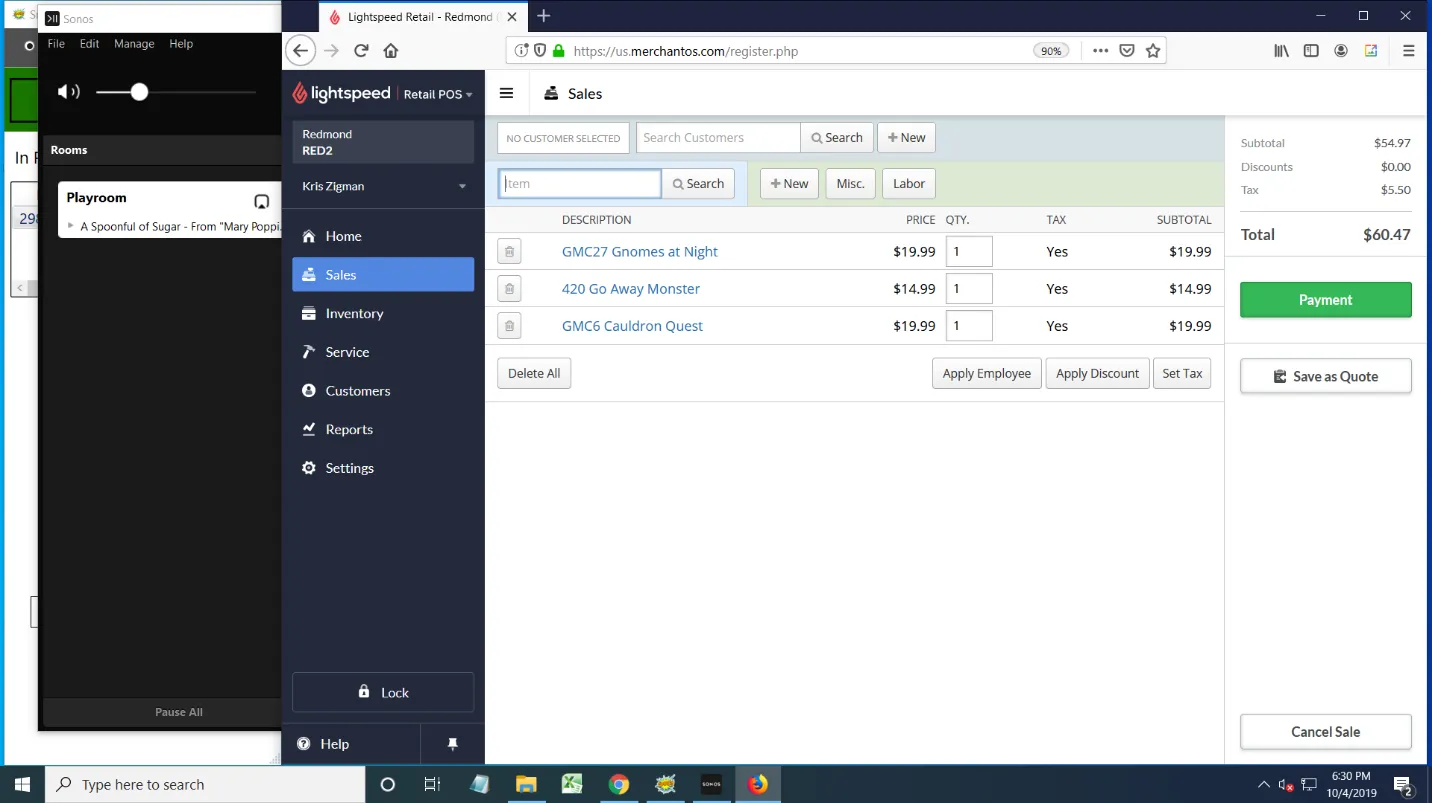
Section titled “Cancelling a sale in progress”Sometimes customers change their mind and decide not to go forward with a purchase. Click the Cancel Sale button at the bottom of the screen and answer the prompt.
Quotes
Section titled “Quotes”Quotes save an entire sale and all its information for later. They’re used infrequently, mostly for large sales with lots of items.